


IBO Player Activation 2026 —
How It Works,
What It Unlocks
Everything about activating IBO Player — what the code does, how to enter it, what to do if it fails, and how activation relates to your IPTV subscription.
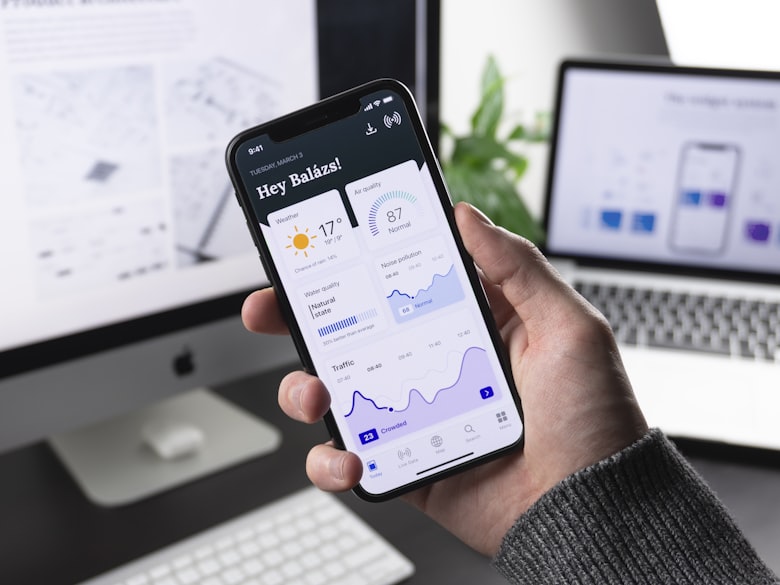
If you've just installed IBO Player and you're staring at a screen asking for an activation code, you're in the right place. The activation step confuses a lot of new users — partly because IBO Player uses the term in two slightly different ways, and partly because the relationship between the app activation and the IPTV subscription isn't always explained clearly upfront.
This guide explains both clearly: what an activation code does to the app itself, and how the subscription (which actually gives you channels) fits into the picture. By the end, you'll know exactly what you need, in what order to get it, and what to do if something goes wrong.
"Think of the activation code as the key that unlocks the full app — and the subscription as the content that flows through it."
IBOPlayerPro, 2026What Is IBO Player Activation?
IBO Player activation refers to entering a unique code into the app that upgrades it from the limited free version to the full Pro experience. Without activation, IBO Player works — but with a single playlist, no EPG, and no parental controls. With activation, all restrictions are removed.
Activation codes are device-specific and time-limited. When you purchase a subscription (1, 3, 6 or 12 months), the provider issues an activation code tied to your specific device for that period. Once entered, the code activates the Pro features for the duration of your plan.
It's worth clarifying one common point of confusion: activation and your IPTV subscription are related but separate. The activation code unlocks the IBO Player app. Your IPTV subscription credentials (M3U URL or Xtream Codes) provide the actual channels. In practice, reputable providers send both together in a single WhatsApp message after you order — but they serve different functions.
In short: Activation code → unlocks the IBO Player app. Subscription credentials → provides the UK channels. You need both for the complete experience.
What Activation Unlocks
The difference between activated and non-activated IBO Player is significant. Here's a direct comparison:
| Feature | Not Activated | Activated |
|---|---|---|
| Number of playlists | 1 only | Unlimited |
| 14-day EPG programme guide | Limited | Full 14-day |
| Parental controls (PIN) | ✗ | ✓ |
| Catch-up TV | ✗ | ✓ |
| Multi-screen / picture-in-picture | ✗ | ✓ |
| On-demand / VOD library | ✗ | ✓ |
| Advanced playback settings | Basic only | Full control |

How to Activate IBO Player — Step by Step
The activation process is the same on all devices — Fire Stick, Android TV, Android phone. It takes under two minutes.
Use the WhatsApp buttons in the pricing section. After payment, your activation code and IPTV credentials arrive together in a single WhatsApp message — typically within minutes.
Launch IBO Player. On some versions the activation prompt appears on first launch. On others, go to Settings → Activation or Settings → Account. You'll see a field to enter your code.
Type or paste the code from your WhatsApp message. Be careful with the following: zero (0) vs letter O, capital I vs number 1, and uppercase vs lowercase letters. The code is case-sensitive on some versions.
The app connects to the activation server and verifies your code. This takes 5–10 seconds with a normal internet connection. Once confirmed, you'll see a success message and the Pro features activate immediately.
Now add your IPTV subscription credentials via Playlist Manager (M3U URL or Xtream Codes) as instructed in your WhatsApp message. Your UK channels load within minutes, and the activated EPG populates the full two-week guide.
Tip: On Fire Stick, it's faster to use the Downloader app or a connected keyboard when entering the activation code — the on-screen remote keyboard is slow for long alphanumeric codes.
Activation Not Working — Common Fixes
Activation failures are almost always caused by one of four things. Work through these in order before contacting support:
1. Typo in the code
The most common reason by far. Compare each character of your entered code against the one in your WhatsApp message. Pay special attention to: 0 vs O, 1 vs I vs l, 8 vs B. If you're on a phone, try copying the code from WhatsApp and pasting it directly into the field to eliminate typing errors entirely.
2. Code already used on another device
Activation codes are typically device-specific. If you've previously activated on a different device (or factory-reset your device), the code may not work again. Contact your provider via WhatsApp — most will issue a re-activation at no extra cost within the subscription period.
3. No internet connection during activation
IBO Player connects to a remote server to verify the code. If your internet drops or is unstable at the moment you tap Activate, the verification fails. Check your connection and try again.
4. Expired code
Codes have a validity window — usually 24–48 hours from when they're issued. If you received the code more than a day ago and haven't entered it yet, it may have expired. Request a fresh code from your provider via WhatsApp.
If none of these work: Message your provider directly on WhatsApp with a screenshot of the error message and your device model. This gives them exactly what they need to diagnose and fix it quickly.
Renewing and Changing Devices
Renewing your subscription
When your plan expires, channels stop loading. To renew, message your provider on WhatsApp and choose a new plan. A fresh activation code is sent with your new subscription credentials. Enter it the same way as the original — Settings → Activation → enter the new code. Your previous favourites and settings are preserved.
Changing devices mid-subscription
If you get a new Fire Stick, upgrade your TV, or factory-reset your device, your existing code will be tied to the old device identifier. Contact your provider via WhatsApp and explain — most reputable providers will re-issue the code for your new device at no charge, especially if you're still within your subscription period.
Using IBO Player on two devices
Standard subscriptions are for one device. If you want IBO Player activated on a second TV or device simultaneously, you'll need an additional subscription. Multi-device packages are often available at a reduced combined rate — ask via WhatsApp when you order.
Need an Activation Code?
Order via WhatsApp and receive your activation code plus subscription credentials in one message — within minutes.
UK Subscription Plans
Activation code + IPTV credentials included. Same full UK channel list on all plans. No contracts. Instant WhatsApp delivery.
Frequently Asked Questions
Q What does IBO Player activation actually unlock?
Activation unlocks the full Pro feature set: unlimited playlists, 14-day EPG, parental controls, multi-screen support, catch-up TV, on-demand library access, and advanced playback settings. The free (unactivated) version is limited to one playlist and basic live playback.
Q Is activation the same as an IPTV subscription?
No — they are related but different. Activation unlocks the IBO Player app's features. An IPTV subscription provides the channels (via M3U URL or Xtream Codes). When you order from us, you receive both in a single WhatsApp message: an activation code for the app and credentials for the channel content.
Q My activation code is not working. What should I do?
Start with the code itself — compare each character carefully with what's in your WhatsApp message. Zero vs O and 1 vs I vs l are the most common mix-ups. If the code looks correct, check your internet connection (activation requires server verification). If it still fails, message us on WhatsApp with a screenshot and we'll resolve it immediately.
Q I changed my device — can I transfer my activation?
Activation codes are tied to the device they were originally activated on. If you change device or factory-reset, message us on WhatsApp. We'll re-issue the activation for your new device — usually at no extra cost if you're still within your subscription period.
Q Do I get a new activation code when I renew?
Yes. Each renewal comes with a fresh activation code sent to your WhatsApp alongside your new subscription credentials. Enter it the same way as the original — Settings → Activation → enter the code — and your access is extended immediately.
Q How long does the activation code last?
The code is valid for the duration of your subscription — 1 month, 3 months, 6 months, or 12 months depending on the plan you chose. There is no separate expiry for the code itself once it has been successfully entered and activated.
Activation Is Simple — Once You Know What It Does
IBO Player activation is a one-step process that takes under a minute, and the code you receive from your provider works on any supported Android device. The confusion around activation usually comes from not knowing that it's separate from the subscription — now that you understand both parts, the whole setup should be straightforward.
The plans above include your activation code alongside the IPTV credentials — both delivered to your WhatsApp in a single message after ordering. The 12-month plan at £49.99 is the best value at under £4.17 per month. The 1-month plan at £15 lets you try everything first without any commitment.
© 2026 IBOPlayerPro — IPTV Guides & UK Subscriptions
Store · Sports Guide · UK Channels · WhatsApp
For informational purposes only. Always use licensed IPTV services in compliance with local laws.